Reply.io vs SalesHandy vs Mailshake: Which Outreach Tool Is Best in 2026?

Posted by Aazar Ali Shad | August 13, 2026 | All, email marketing
💡Summary

Mailshake is the easiest option for straightforward email-first outreach, SalesHandy is strongest for high-volume cold email and deliverability workflows, and Reply.io is best for advanced multichannel automation. Current vendor pages list Mailshake plans from $29/month, SalesHandy Outreach plans from $25/month when billed annually, and Reply.io pricing based on its current product and plan structure; verify pricing and limits before purchase.

✨Key takeaways
  • Choose Mailshake for simple email sequences, personalization, follow-ups, analytics, and approachable multichannel features.
  • Choose SalesHandy for high-volume cold email, multiple mailboxes, sender rotation, verification, and deliverability operations.
  • Choose Reply.io for advanced multichannel sequences, conditional branching, AI-assisted workflows, and broad channel coverage.
  • No outreach platform guarantees inbox placement; authentication, list quality, relevance, sending behavior, and compliance still matter.
  • Compare total cost, including seats, sending limits, data credits, verification, dialer usage, mailboxes, and integrations.

Reply.io, SalesHandy, and Mailshake are all sales engagement platforms, but they are built for different outreach priorities. Reply is the strongest fit for teams that want advanced multichannel automation and AI-assisted workflows. SalesHandy is a compelling choice for high-volume cold email, mailbox rotation, and deliverability-focused outreach. Mailshake is the easiest option for teams that want straightforward email sequences with phone and social touches in one workflow.

In this updated comparison, we examine Reply.io vs SalesHandy vs Mailshake across features, pricing, automation, deliverability, analytics, integrations, and ease of use. Product features and pricing can change, so review each vendor’s current plan page before purchasing.

Reply.io vs SalesHandy vs Mailshake: Quick comparison

Best forReply.ioSalesHandyMailshake
Primary strengthAdvanced multichannel sales engagementHigh-volume cold email and deliverability workflowsSimple email outreach with phone and social tasks
ChannelsEmail, LinkedIn, calls, SMS, WhatsApp, and manual tasksEmail, calls, LinkedIn, and WhatsApp, depending on plan and workflowEmail, calls, social touches, and manual tasks
AutomationConditional, multichannel sequences with AI assistanceAutomated sequences, follow-ups, sender rotation, and AI-assisted copyEmail sequences, automated follow-ups, scheduling, and throttling
Ease of useBest for teams comfortable with a more advanced platformModerate learning curve with many volume and deliverability controlsGenerally the simplest starting point
Best choice when…You need sophisticated branching and multiple outreach channelsYou need to operate many mailboxes or scale cold email carefullyYou want to launch a practical outreach campaign quickly

Reply.io: Best for advanced multichannel sales engagement

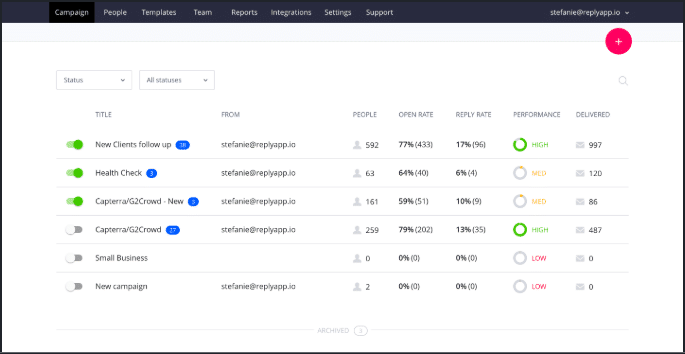
Reply.io is designed for sales teams, agencies, and founders that want to combine several outreach channels in one sequence. Its current platform supports multichannel workflows involving email, LinkedIn, calls, SMS, WhatsApp, and manual sales tasks.

The main advantage of Reply is flexibility. Instead of sending the same fixed series of emails to every prospect, you can create conditional paths based on actions, prospect data, or engagement. For example, a sequence could send a personalized email first, create a LinkedIn task if there is no response, and route an interested reply to a follow-up task for a sales representative.

Reply.io features

  • Multichannel sequences with conditional branching
  • Email personalization using custom and AI-assisted variables
  • LinkedIn actions, calls, SMS, WhatsApp, and manual tasks
  • A/B testing for email steps
  • Unified inbox and reply management
  • Prospect discovery and contact enrichment options
  • Scheduling, reporting, analytics, integrations, and API access

Reply also offers AI-oriented sales features, including assistance with prospect targeting, messaging, and workflow creation. Its API documentation describes support for contacts, lists, sequences, unified inbox activity, scheduling, reporting, and webhooks.

Pros of Reply.io

  • Strong multichannel capabilities: Useful when email alone is not enough for your sales process.
  • Flexible automation: Conditional sequences can adapt to prospect behavior.
  • Good visibility: Teams can review campaign activity and replies from a centralized workspace.
  • Useful for larger workflows: Integrations and API access make it easier to connect outreach with other systems.

Cons of Reply.io

  • The number of features can make the platform feel more complex than a basic email tool.
  • Teams may need time to configure sequences, integrations, permissions, and channel-specific rules.
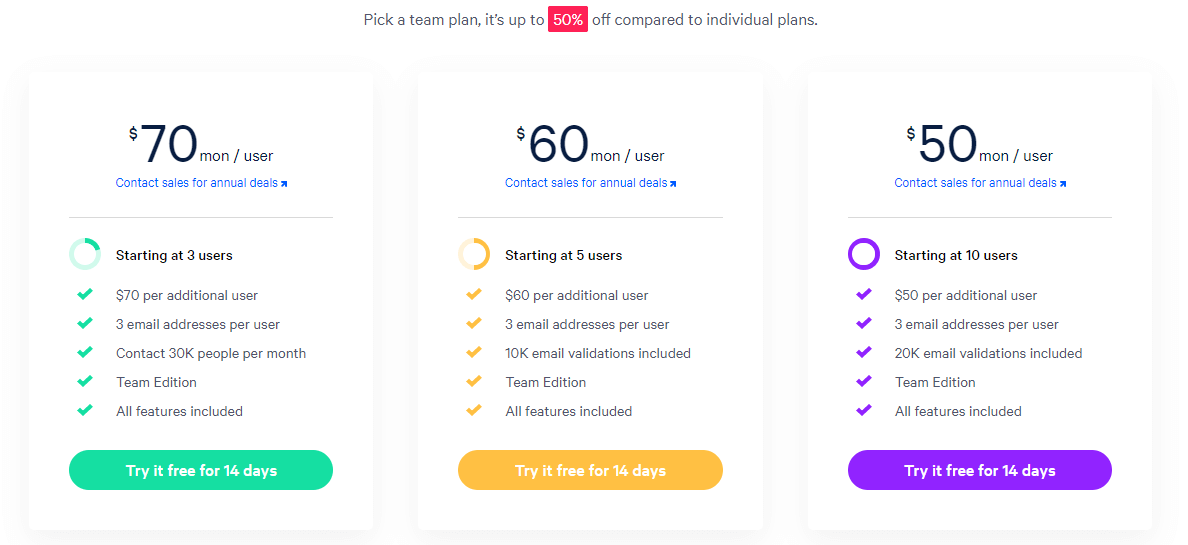
  • Pricing depends on the selected product, seats, and feature requirements, so the current pricing page should be checked before budgeting.

Choose Reply.io if: your team needs advanced branching, AI-assisted sales engagement, and several communication channels in one platform.

SalesHandy: Best for high-volume cold email and deliverability workflows

SalesHandy focuses on cold email outreach, prospect management, mailbox rotation, email verification, and deliverability. It has expanded beyond basic email scheduling to include a unified inbox, lead discovery, calling, CRM functionality, and agency-oriented features.

A major differentiator is its support for connecting multiple email accounts. That can help teams distribute sending activity across mailboxes, but mailbox rotation is not a substitute for permission-based targeting, careful list hygiene, sensible sending limits, and compliance with applicable email laws and provider policies.

SalesHandy features

  • Automated cold email sequences and follow-ups
  • Unlimited email account connections on listed outreach plans
  • Sender rotation and email warm-up options
  • AI-assisted sequence writing and personalization
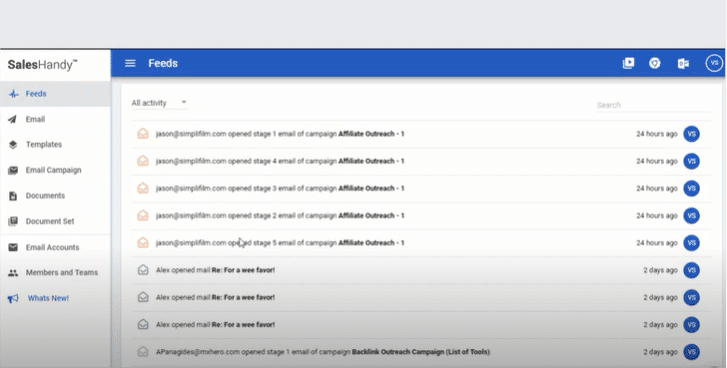
  • Unified inbox for managing replies
  • Email verification and inbox placement testing add-ons
  • Lead Finder and prospect enrichment options
  • Dialer features for calling prospects
  • CRM, webhooks, Zapier, and other integrations
  • Agency and white-label capabilities on eligible plans

SalesHandy pricing approach

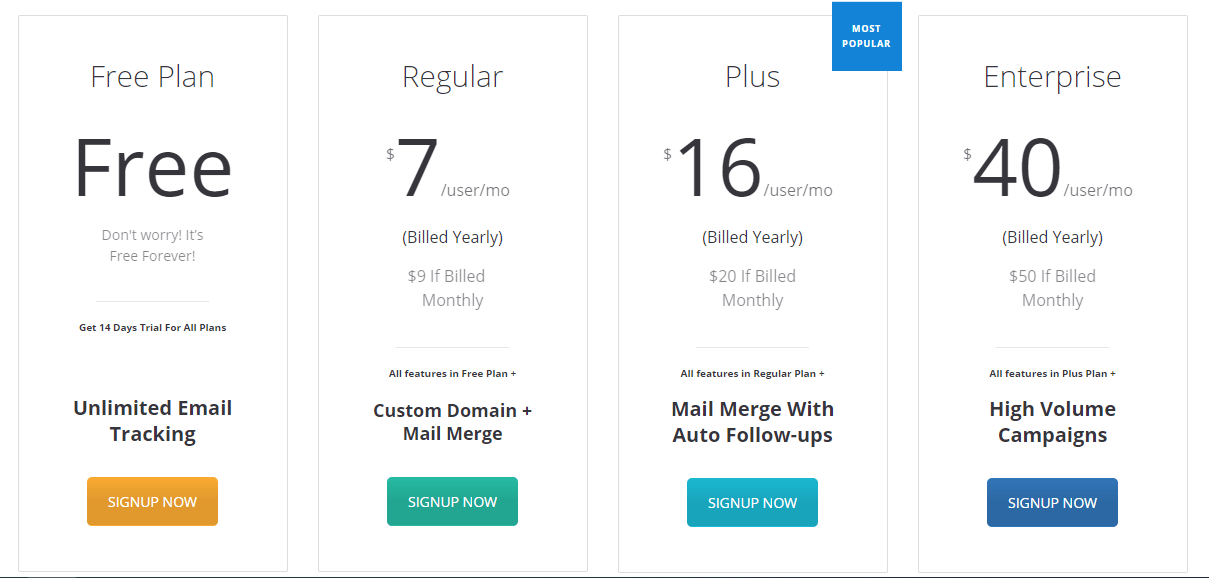
SalesHandy uses separate product and usage-based plan structures. At the time of this update, its public pricing page lists Outreach plans beginning at $25 per month when billed annually or $36 per month when billed monthly. Higher plans increase active prospect and monthly email limits and may add features such as A-Z variant testing, unified inbox functionality, white-labeling, and additional integrations.

SalesHandy also lists separate pricing for its dialer, inbox placement testing, lead-generation credits, email verification, and email infrastructure. Because these limits and prices can change, compare the plan details with your expected number of prospects, mailboxes, monthly sends, and team members.

Pros of SalesHandy

  • Built for scale: The platform is well suited to teams running multiple campaigns or sending from multiple accounts.
  • Deliverability tools: Verification, warm-up, sender rotation, and inbox placement features address common cold-email operational needs.
  • Broad workflow coverage: Lead discovery, outreach, replies, calls, and CRM features reduce the need to stitch together many tools.
  • Agency support: White-label and client-management options may be useful for outreach agencies.

Cons of SalesHandy

  • The platform may be more than a small team needs if it only sends occasional, low-volume campaigns.
  • Costs can increase when you add verification, lead data, dialer, infrastructure, or inbox placement services.
  • High-volume outreach still requires careful domain setup, authentication, list quality, personalization, and monitoring.

Choose SalesHandy if: your priority is scaling cold email while managing multiple mailboxes, prospect volumes, and deliverability-related tasks.

Mailshake: Best for straightforward outreach sequences

Mailshake is a practical option for teams that want to build email campaigns quickly without managing an overly complicated system. Its platform combines automated email sequences with personalization, follow-ups, scheduling, analytics, lead management, integrations, phone outreach, and social or manual tasks.

Mailshake is particularly appealing when ease of use matters more than having the deepest possible configuration. A small sales team can create a sequence, personalize fields, set sending rules, monitor replies, and hand interested leads to a salesperson from one workspace.

Mailshake features

  • Automated email sequences and follow-ups
  • Mail merge personalization
  • Scheduling, throttling, and email rotation
  • A/B testing for emails, follow-ups, and campaigns
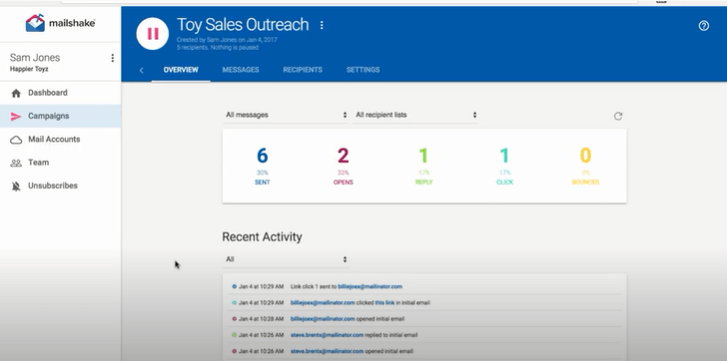
  • Open, click, reply, and conversion activity tracking
  • Lead Catcher and unified lead activity views
  • Data Finder for prospect research
  • Phone outreach and call tracking on eligible plans
  • Social steps and manual tasks within sequences
  • Salesforce, Pipedrive, HubSpot, Zapier, and other integrations
  • Onboarding, campaign reviews, and live training resources

Mailshake pricing approach

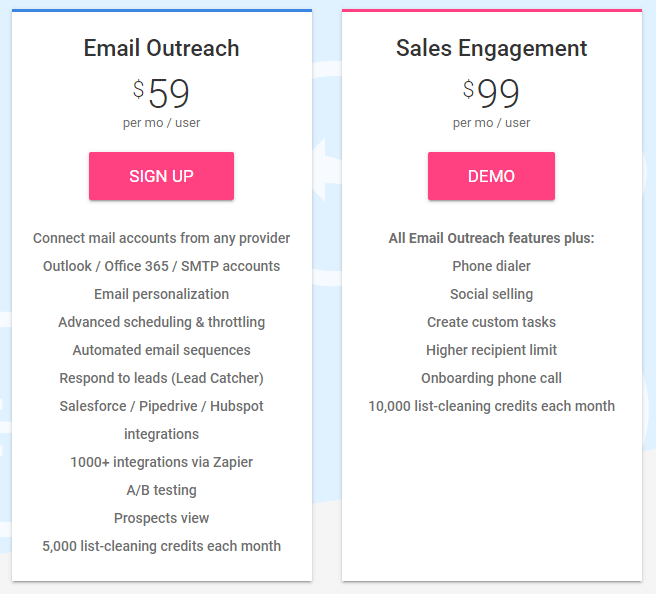
Mailshake currently lists three primary plans: Starter, Email Outreach, and Sales Engagement. The public pricing page lists Starter at $29 per month, Email Outreach at $49 per month, and Sales Engagement at $99 per month, with lower displayed annual-billing rates. Plan limits differ for connected email addresses, monthly sending, phone numbers, integrations, and multichannel features.

Mailshake does not position its plans as a permanent free product. Review the current plan page for trial, onboarding, billing, and cancellation terms before signing up.

Pros of Mailshake

  • Easy to start: The core workflow is simple to understand for new outreach teams.
  • Balanced feature set: It covers email, follow-ups, personalization, analytics, lead management, and additional sales tasks.
  • Useful support resources: Training and campaign guidance can help teams improve messaging and execution.
  • Good for focused campaigns: It avoids requiring a complex sales-operations setup for every campaign.

Cons of Mailshake

  • Advanced data, automation, or multichannel requirements may require a higher plan or another platform.
  • Some teams may want deeper reporting or more granular workflow controls.
  • Sending limits and connected-account limits vary by plan, so confirm them before launching a large campaign.

Choose Mailshake if: you want an approachable outreach platform that combines automated email with practical phone, social, and lead-management features.

Reply.io vs SalesHandy vs Mailshake: Feature-by-feature comparison

Automation and personalization

Reply.io offers the most sophisticated sequence logic of the three, especially when campaigns need multiple channels and conditional branches. SalesHandy is strong for automated cold email sequences, sender rotation, and AI-assisted copy. Mailshake provides the most approachable setup for standard email campaigns, follow-ups, and personalization.

Multichannel outreach

All three platforms now extend beyond basic email. Reply is the strongest choice for teams that need complex combinations of email, LinkedIn, calls, SMS, and WhatsApp. SalesHandy is a strong option for teams that want email, calling, LinkedIn, and WhatsApp capabilities alongside lead and deliverability tools. Mailshake is well suited to teams that want email-first campaigns with phone, social, and manual tasks added when appropriate.

Deliverability

SalesHandy places the greatest emphasis on infrastructure, mailbox rotation, verification, warm-up, and inbox placement tools. Mailshake also includes features such as email rotation, throttling, verification, and sequence pausing when a prospect replies, unsubscribes, or bounces. Reply provides scheduling, opt-out tracking, and campaign controls, but the best choice depends on how much deliverability infrastructure your team wants managed inside the platform.

No tool can guarantee inbox placement. Use authenticated sending domains, maintain clean lists, send relevant messages, honor unsubscribes, and monitor bounce and complaint rates.

Reporting and analytics

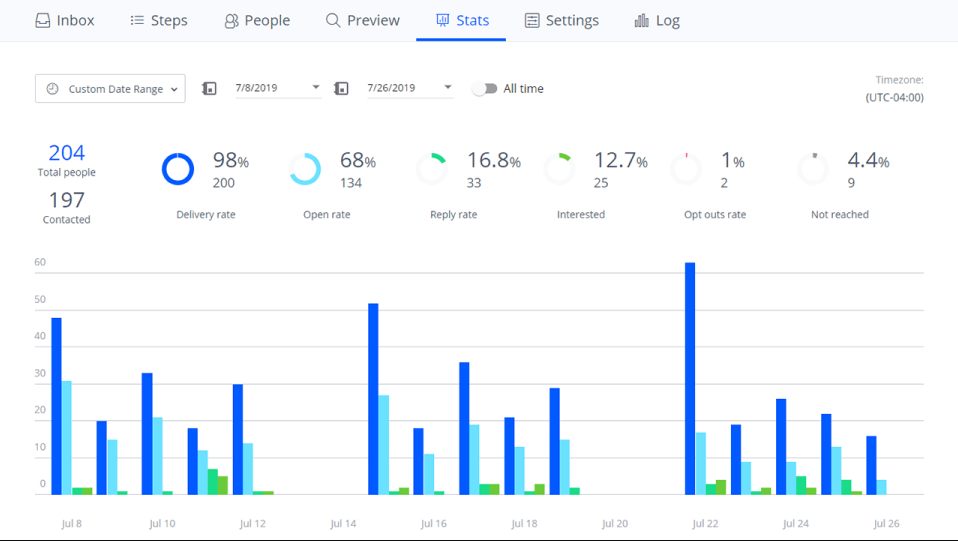
Mailshake offers visibility into opens, clicks, replies, lead activity, and campaign performance, including A/B testing. Reply provides reporting across multichannel sequences and centralized reply management. SalesHandy combines campaign analytics with operational controls around prospects, inboxes, verification, and deliverability. Select the platform whose reports match the decisions your team actually makes.

Ease of use

Mailshake is usually the easiest starting point for a small team. SalesHandy is more operationally focused and may take longer to configure, especially when using multiple mailboxes and deliverability tools. Reply offers the broadest workflow flexibility, but that flexibility comes with a steeper setup and administration curve.

Which platform should you choose?

Use this decision guide:

  • Choose Reply.io for advanced multichannel sequences, conditional automation, AI-assisted workflows, and flexible integrations.
  • Choose SalesHandy for high-volume cold email, multiple mailboxes, deliverability operations, lead discovery, and agency workflows.
  • Choose Mailshake for an easy-to-use email-first platform with follow-ups, personalization, analytics, and optional phone and social outreach.

For many small businesses, Mailshake is the best first tool because it is straightforward to launch and manage. For a specialized outbound team, SalesHandy may offer better operational control at scale. For a sales organization that wants one highly configurable engagement system, Reply.io is likely the strongest fit.

How to choose the right sales outreach tool

  1. Define your primary channel. Decide whether email, LinkedIn, calling, or a combination drives most of your pipeline.
  2. Estimate your real volume. Count active prospects, monthly sends, connected mailboxes, users, and expected follow-ups.
  3. Review deliverability requirements. Check whether you need verification, warm-up, sender rotation, inbox placement testing, or ready-to-use mailboxes.
  4. Map your sales process. Identify where replies, tasks, calls, meetings, and CRM updates should happen.
  5. Test campaign creation. Build one realistic sequence and measure how long it takes to personalize, schedule, launch, and review.
  6. Compare total cost. Include seats, data credits, verification, dialer usage, mailboxes, integrations, and annual commitments.
  7. Start with a controlled campaign. Test a small, relevant audience before increasing sending volume.

Best practices for using any outreach platform

Automation should make a good sales process more consistent—not turn irrelevant messages into bulk spam. Before launching a campaign:

  • Target a specific audience with a clear business reason for contacting them.
  • Use accurate contact information and verify addresses before sending.
  • Write concise, useful messages with one clear call to action.
  • Personalize around the prospect’s role, company, trigger, or likely problem.
  • Set reasonable sending schedules and avoid sudden volume increases.
  • Pause or stop sequences when someone replies, opts out, or becomes irrelevant.
  • Track positive replies, qualified meetings, bounce rates, unsubscribes, and revenue—not opens alone.
  • Follow applicable laws, regulations, and email-provider policies for commercial outreach.

If your sales process also includes proposals, contracts, or client-facing documents, a dedicated proposal management platform can help your team move from initial outreach to a more organized close.

Final verdict

There is no universal winner in the Reply.io vs SalesHandy vs Mailshake comparison. The best platform depends on your outreach volume, preferred channels, technical maturity, and budget.

Mailshake is the best all-around starting point for simple, practical outreach. SalesHandy is the better choice for teams scaling cold email and managing deliverability operations. Reply.io is the best fit for advanced, multichannel sales engagement with conditional automation and AI-assisted workflows.

Choose the platform that fits your current process, test it with a focused campaign, and measure results by qualified conversations and revenue rather than activity metrics alone.

ABOUT THE AUTHOR

Aazar Ali Shad - He's a growth hacker, content marketer, and SEO-specialist. He loves SaaS and advising people on AAARR model.